Complete the following steps to add links through the Quick
Launch option.
-
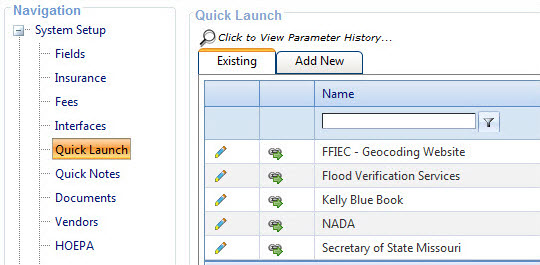
Select .
The
Quick Launch links screen
appears.
-
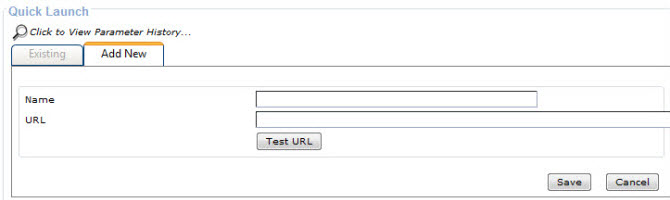
Select the Add
New tab.
Fields for adding the
Name and
URL appear.
-
Add a Name and URL and select
Save.
Tip To add a URL for a file,
enter file://
followed by the file path. Only network shared files are accessible through Quick Launch, and add the
OnBoard URL as a trusted site to provide access to the file. To locate the file path for
a shared file, right-click the file and select Properties. Click the
Security tab, and use the file path in the Object Name field.
-
Select Test URL to validate
the link.
Note Refresh your browser to review the new link.
The subject record appears in the Existing links screen and in the Quick Launch option in the
Toolbar.