Characteristics
The Characteristics node appears when the Add New tab is selected, or when an existing record is edited. When an existing record is edited, the fields on the Characteristics node are populated with values from that record.
The following sections are included on the Characteristics node:
- General Information
- Terms
- Reimbursement
- Expiration Date
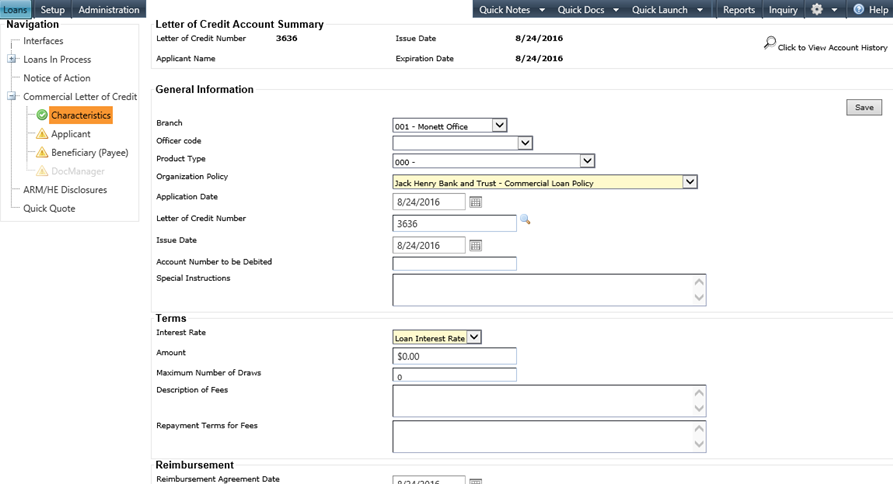
The Letter of Credit Account Summary, located at the top of the screen, cannot be edited and is populated as the remaining nodes are completed. Selecting the Click to View Account History option allows you to track the changes made to the previous entries on the node.
In the General Information section, the Product Type field only displays the product types that have the Standby Letter of Credit option selected at the product level. The Branch and Officer Code fields default from the user settings in Administration, but the selections can be modified. The Letter of Credit Number field does not allow a number that already exists on Letter of Credit grid or on the Loans in Process grid.
All Date fields default with the current date and can be modified as needed.
When the required fields are complete, selecting Save changes the
Characteristics node status to  Complete, and provides access to the Applicant
and Beneficiary (Payee) nodes.
Complete, and provides access to the Applicant
and Beneficiary (Payee) nodes.