Additional Information for Military Lending Act Transactions
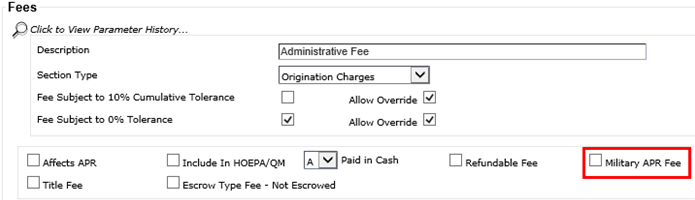
The Military APR Fee check box appears on the Edit page for all fees on the Fees - TERMS tab.
This option only appears if the Allow Military Lending - MAPR check box is selected in the node. The Military APR option is selected, by default, for all static application fees or fees that have the Affect APR option selected with this build. The system retains any subsequent user modification.
These options appear with the product level fees also. If the fee is a static fee, it must be maintained from the system level. If the master fee is selected, all product fees tied to the master fee match the selection. If the fee is not a static fee, the check box must be maintained at the system or product level.