🖶

Running a ChexSystems Verification - Business

Complete the following steps to run a business verification when ChexSystems is the selected interface.

  1. Select the Interfaces node from the Loans menu.
    The Interfaces screen appears.
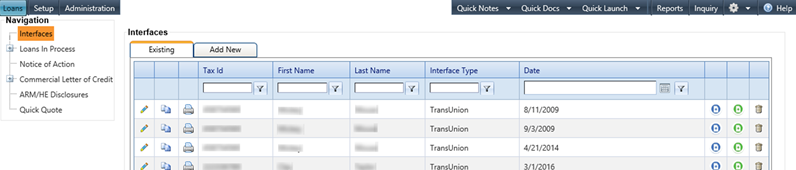
    Interfaces node

  2. Select the Add New tab.
    The Interfaces screen appears.
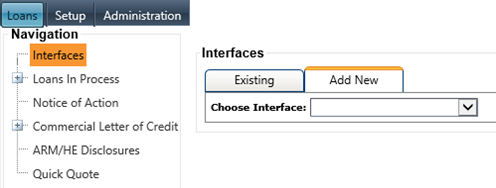
    Add New feature selected on the Interfaces node

  3. Select ChexSystems from the Choose Interface drop-down menu.
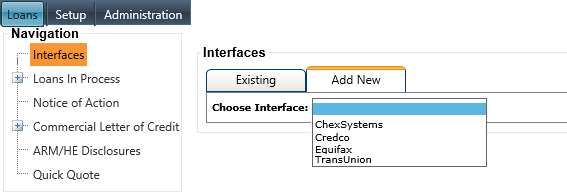
    Choose Interface option selected

    The Consumer 1 (default) of the five Consumer tabs appears.
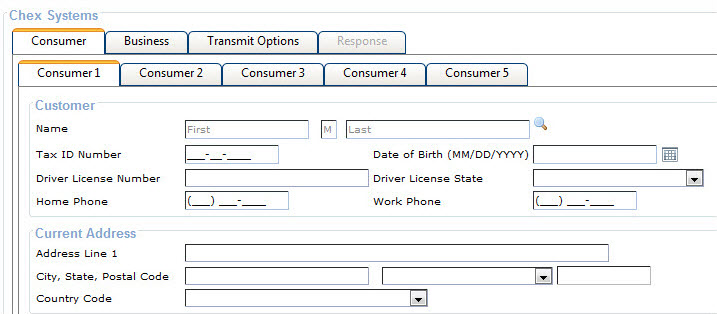
    Consumer tab on the Interface node

  4. Select the Business tab.,mmmkj
    The Business Customer and Current Address sections appear.
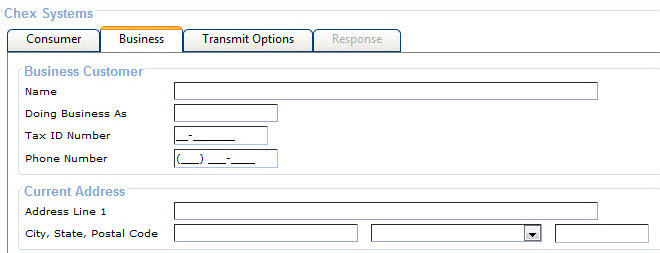
    Business tab on the Interfaces node

  5. Complete all fields for transmission to ChexSystems Account Verification.
  6. Select Transmit.
    The information is transmitted to ChexSystems, and a message appears confirming that the information was transmitted.
  7. Print the report when required.
  8. Select one of three options:
    Re-transmit
    Provides for retransmission after adding or editing information.
    Create Account
    Advances to Parties To The Loan under Loans In Process node with Consumer One as the primary relationship. A CIF record can be created when Consumer One is a non-bank customer.
    Notice of Action
    Advances to the Notice of Action node. The applicant information appears in all respective fields.