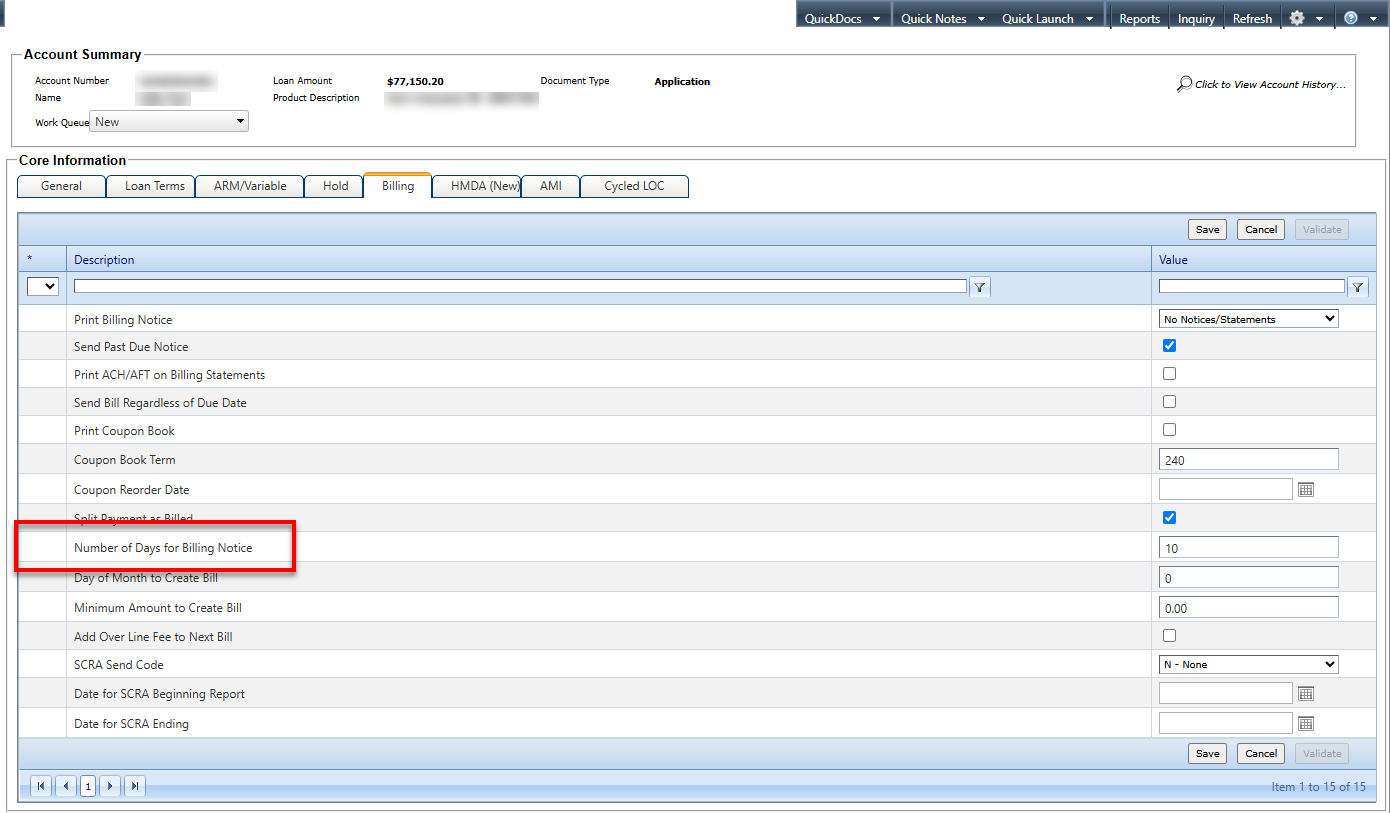
On the Core Information node, users
can adjust semi-monthly payments. This task applies to both OnBoard Loans and CoreBoarding
environments.
-
Navigate to
OnBoard Loans.
-
Select .
-
Verify that the BILNDY field (Number of Days for Billing Notice)
has a Display value of Input/Output and a
Default value of *Core.
-
Select Save.
-
Navigate back to .
-
Search for and select an existing customer.
-
Complete the Parties to the Loan node.
-
On the Core Information node, select the
Billing tab.
-
Adjust the value Number of Days for Billing Notice field.
-
Select Save.
-
Verify that the save was successful and the user did not receive an error
message.