Additional Information for Military Lending Act Transactions
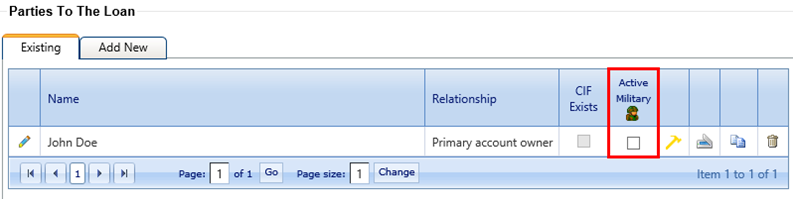
The Active Military column is available on the Existing tab. This column only appears for primary borrowers with a SSN/EIN Used value of SSN when the Allow Military Lending - MAPR option is selected in the node.
The soldier icon in the column title provides a link to the Department of Defense website to allow the user to validate each party before selecting the Active Military check box. Once verified, users can select the Active Military check box for any party to the loan that is an active service member. If the soldier icon is selected, a maintenance record is created that shows the User, Date, Time, and MLA Database Selected in the New Value column.