Uniform Commercial Code (UCC) Collateral
When the Uniform Commercial Code (UCC) guidelines apply to a collateral item, the General tab displays the Use UCC General Description field. If selected, the UCC language for a blanket lien on the collateral is added to the Security Documents.
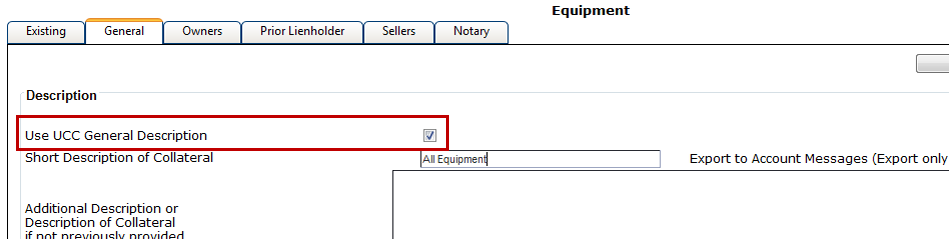
For example, when taking a blanket lien on All Equipment and selecting Use UCC General Description, the following UCC language is printed on the Security Documents.

When taking specific pieces of collateral that fall under the UCC guidelines, when not taking a blanket lien, you must enter the collateral description in the Additional Description or Description of Collateral if Not Previously Provided field to print the description on Security Documents.
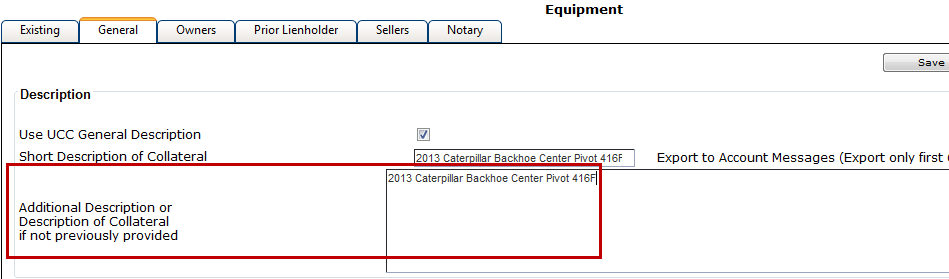
The following is an example of how specific equipment information is printed on the Security Documents.

When taking a blanket lien and entering Equipment Included but not Limited To verbiage, you can use both the Short Description of Collateral and Additional Description or Description of Collateral if Not Previously Provided fields.
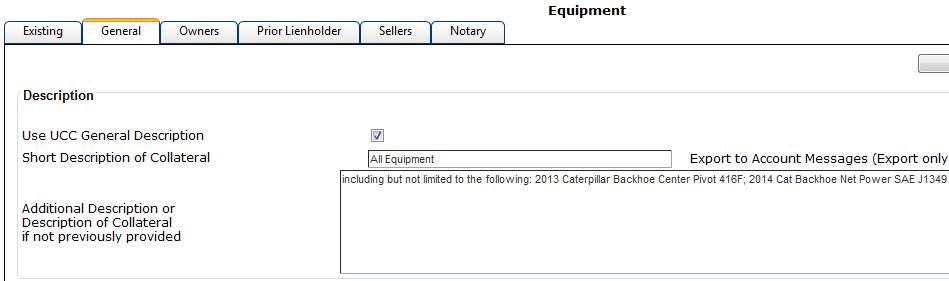
The following is an example of how this information is printed on Security Documents.

When using the WKFS collateral type of Fixtures, the Describe Legal Description of Property field appears. Use this field to describe the property to which the fixtures are attached.
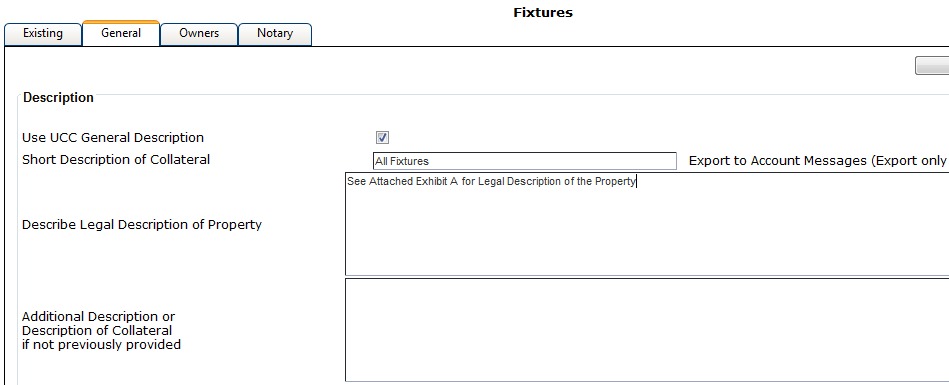
The following is an example of how the information entered in the Describe Legal Description of Property field is printed on Security Documents.
