Validating Fields to the Core System
The export fields must be successfully validated to the core system before the Export node is available. The validation process checks for conflicts and/or errors with the core loan type. An account cannot validate when the origination date value is a future date.
-
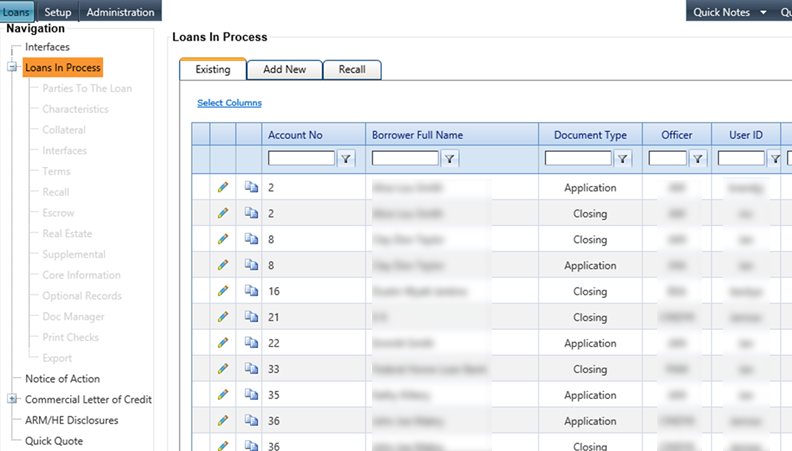
Select the Loans in Process node from
the Loans
menu.
The Loans in Process screen appears.
-
Select the
 Edit icon for the
customer.
The Parties to the Loan menu appears.
Edit icon for the
customer.
The Parties to the Loan menu appears. -
Select the
 Validate icon to run error checking with the core
system.
Note If theValidate icon is unavailable, hover over the button to
display the reason. For example, a borrower who is missing a CIF record could cause the
Validate icon to appear unavailable.Fields not completed after validation are highlighted with an asterisk and warning icons.
Validate icon to run error checking with the core
system.
Note If theValidate icon is unavailable, hover over the button to
display the reason. For example, a borrower who is missing a CIF record could cause the
Validate icon to appear unavailable.Fields not completed after validation are highlighted with an asterisk and warning icons.