Establishing Optional Records
Complete the following steps to create an optional record for an existing loan.
-
Select the Loans In Process node from Loans.
The Loans In Process screen appears.
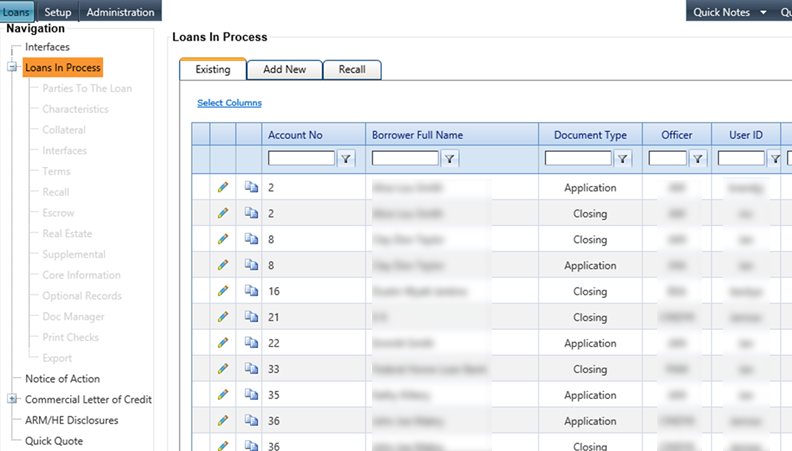
-
Select the
 Edit icon associated with a
customer account.
The Parties To The Loan menu appears.
Edit icon associated with a
customer account.
The Parties To The Loan menu appears. -
Select the
 Validate icon on each applicable
tab to run error checking on the core system.
Note When validation is not successful, a list of all errors appears. Tabs not completed through the validation process are highlighted with an asterisk and highlighted and warning icons.
Validate icon on each applicable
tab to run error checking on the core system.
Note When validation is not successful, a list of all errors appears. Tabs not completed through the validation process are highlighted with an asterisk and highlighted and warning icons.