Additional Information for Military Lending Act Transactions
The following section contains information specific to Military Lending Act Transactions within OnBoard Loans.
The Military Loan check box only appears when the Loan Purpose drop-down list has a value of Consumer and the Allow Military Lending - MAPR check box is selected in the node.
If the Military Loan Type is selected at the product level or if one of the parties is selected as Active Military on the tab, the Military Loan check box is selected by default. The value is only defaulted the first time through the account. If the Military Loan Type field is set to Protected at the product level, the check box appears, but the user cannot select or clear the check box.
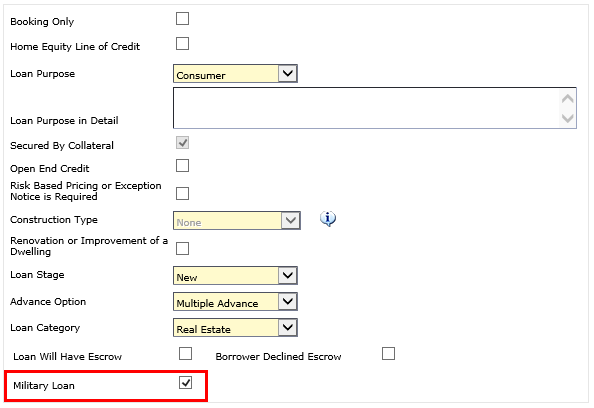
For military loans, the Construction Type field can only have a value
of None. An  Information icon appears next to the Construction
Type field with the following tooltip: Construction Type can only
be 'None' on Military Loan.
Information icon appears next to the Construction
Type field with the following tooltip: Construction Type can only
be 'None' on Military Loan.
For recalled military loan transactions, the Loan Stage field can only
have a value of Recall or Refinance. An Information icon appears next to the Loan Stage
field with the following tooltip: Loan Stage can only be 'RECALL' or 'REFINANCE'
on Military Loan.
When the Military Loan option is selected, the system does not allow the use of products with a default Interest Base value of Add On or Actual/360. If the Product Type selected for a military loan contains a default Interest Base value of Add On or Actual/360, the following error message appears: Interest Bases Add On or Actual/360 are not allowed on a military loan. If you wish to proceed, a different product type will need to be selected.