Cash to Close and Summary Tab
This tab appears for consumer real estate transactions when the application date is 10/3/2015 or after. This tab also appears for both application and closing phases, but is required during the closing phase because it applies to the Closing Disclosure form.
The tab is divided into the following sections:
- Summaries of Transactions
- Calculating Cash to Close
- Closing Cost Details
Summaries of Transactions
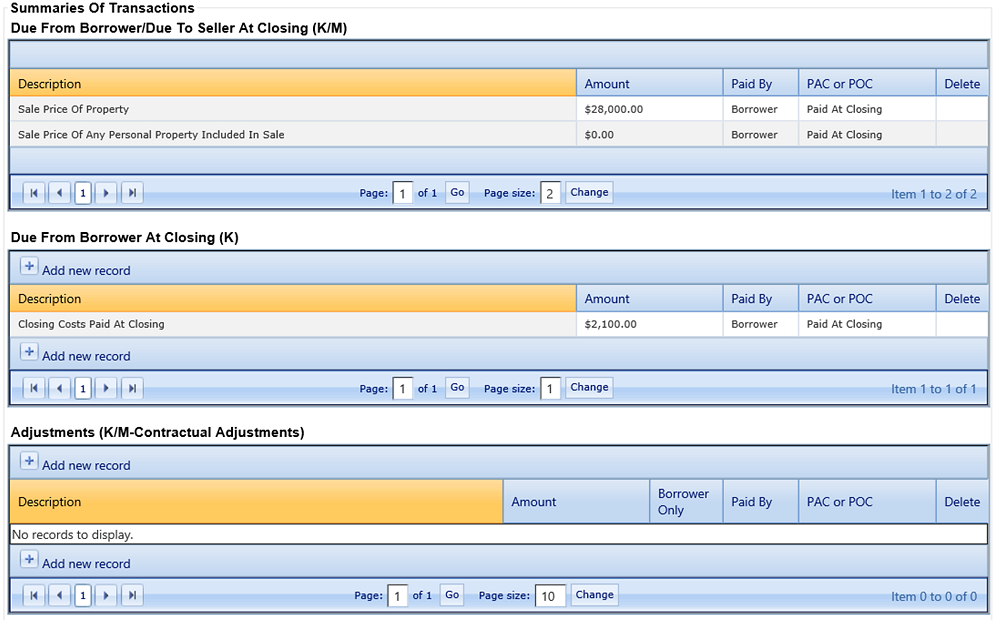
This section is only available for purchase transactions when Collateral Purchased with Loan Proceeds is selected on the tab for the primary collateral. Certain fields within this section default from other screens. However, you can update and add new records.
Each grid within this section has a description that cannot be modified because the descriptions were added to match the Integrated Disclosures. If a description does not apply to the transaction, the amount can be left blank for the line item.
Certain fields have default values in the following subsections:
-
Due from Borrower/Due to Seller at Closing (K/M) subsection
The Amount field value for the Sale Price Of Property label defaults from the Purchase Price of Real Estate field on the tab, if completed. You can modify or enter a value in the Amount field for this label.
-
Due from Borrower at Closing (K) subsection
The system populates the Closing Costs Paid At Closing field, and the value cannot be modified.
The Due From Borrower At Closing (K) section uses a specific calculation.
-
Paid Already by or on Behalf of Borrower at Closing (L)
subsection
The Loan Amount field value defaults from the Terms node with a pre-filled value. Users cannot modify the Amount value, and the following hover message appears for the field: 'Loan Amount' must be changed in the Terms section of loan entry.
Calculating Cash to Close
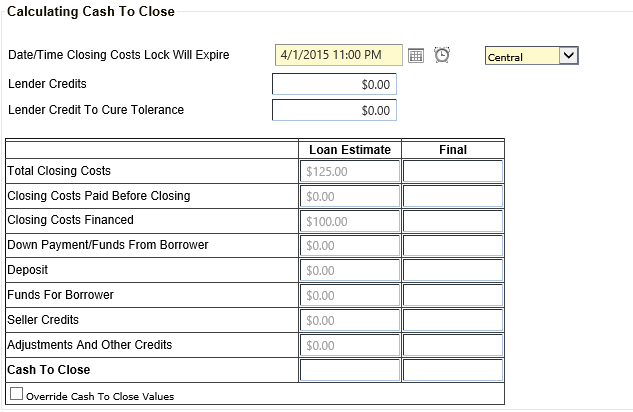
This section pre-fills with calculated values from various nodes. Only calculations in the Loan Estimate column are performed in the application.
The Date/Time Closing Costs Lock Will Expire fields only appear when the loan is in the application status. The time zone list pre-fills with the value from the Time Zone Institution is Located in list in the tab. Users can change these values if needed. Both fields are also required in case default values are not entered in Terms or Institution Settings.
The Calculating Cash to Close table has two columns. The Loan Estimate column is unavailable when the loan is in the closing status. The Final column is unavailable when the loan is in the application status.
Closing Cost Details
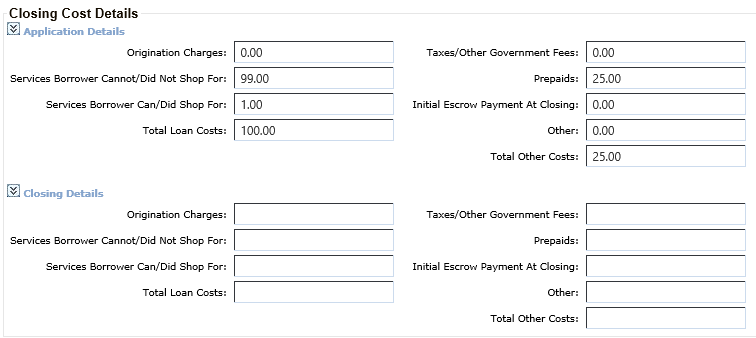
Within the Closing Cost Details section, there are two subsections: the Application Details (for application transactions) and Closing Details (for closing transaction) sections. Field values in these sections pre-fill from Terms and Summaries of Transactions and cannot be modified.