Recall
This section explains the functions and features available on the Recall node.
This node is available when any transaction is recalled from the core system and the Loan Stage is set to Modification, Renewal, or Refinance on the Characteristics node.
Renewal and Refinance
When the Loan Stage is set to Renewal or Refinance, the following grids appear when you select the Recall node.
Figure 1. Renewal Grid

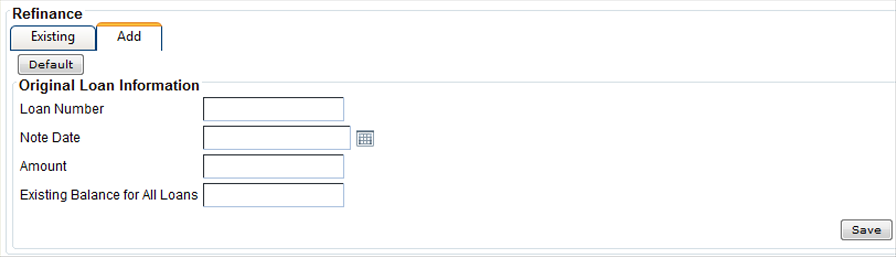
Figure 2. Refinance Grid

Additional records can be added on the Add tab. Selecting Default on the Add tab populates the fields with information from core. This default option is provided to pull the information from core for the same recalled transaction. The values can be changed, if needed.
Figure 3. Renewal Add Tab
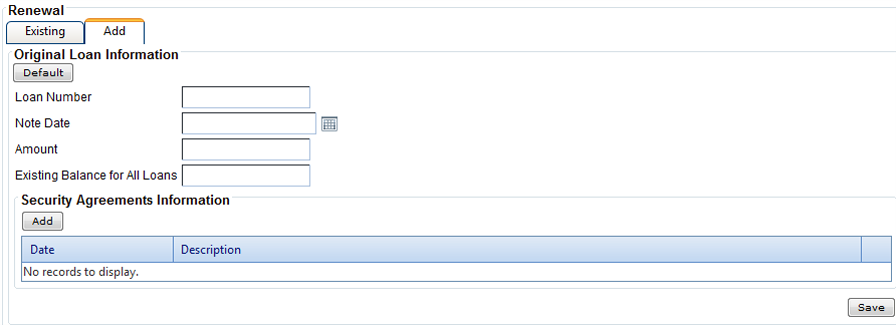
Note The Security Agreement grid is available for renewal transactions and allows you
to enter information for multiple security agreements. The number of collateral records in
the Collateral node determines the number of columns on the grid. You
can also add additional records, if needed.
Figure 4. Refinance Add Tab